How to Use Hedra AI: A Complete Guide for Beginners
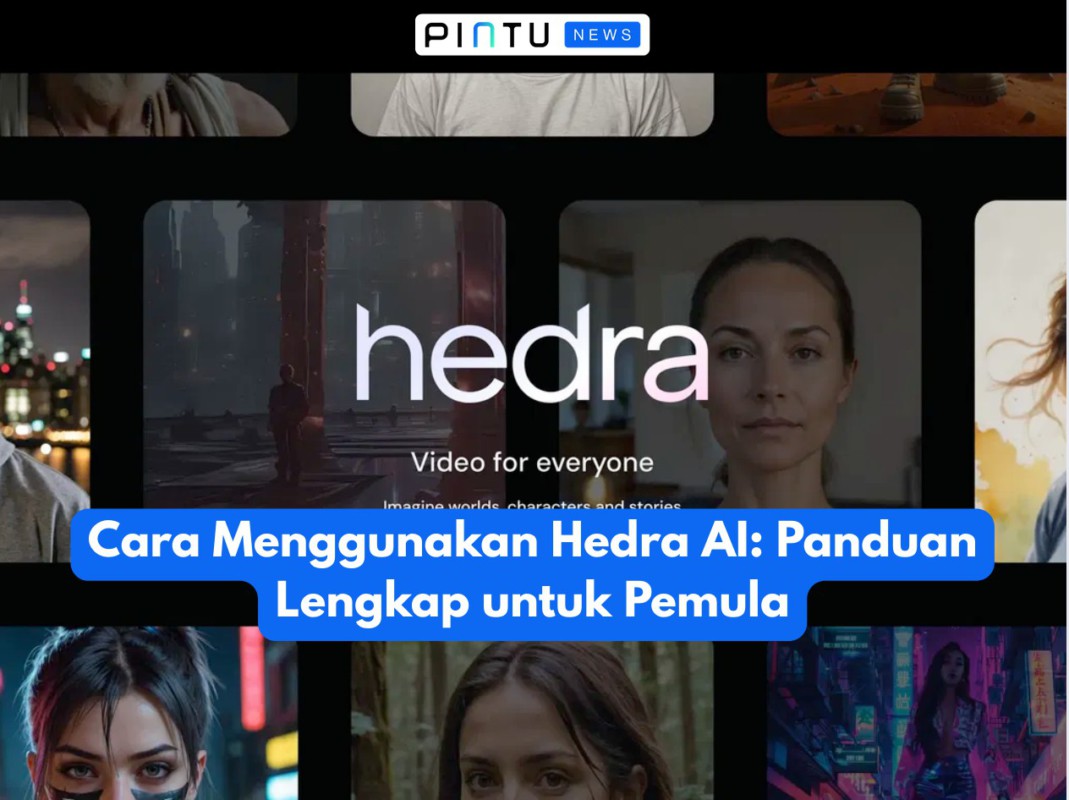
Jakarta, Pintu News – In a digital era that increasingly emphasizes efficiency and interactive visuals, Hedra AI comes as a sophisticated solution for creating videos with AI-based avatars. With a user-friendly interface and deep learning technology that supports realistic facial animation and lip-sync, Hedra AI has become a favorite tool for content creators, marketers, and educators.
Here is a complete guide on what Hedra AI is, how to sign up, the subscription fee, and how to use it step-by-step.
What is Hedra AI?
Hedra AI is an AI-based video platform that allows users to create animated videos from text or audio. With customizable virtual avatars, Hedra AI offers an interactive video experience without the need for advanced editing skills.
The platform supports export in various high-resolution formats, multilingual voice selection, and API integration for professional users. Compared to conventional animation software, Hedra AI offers fast rendering and a direct pipeline from script to video.
How to Sign Up Hedra AI
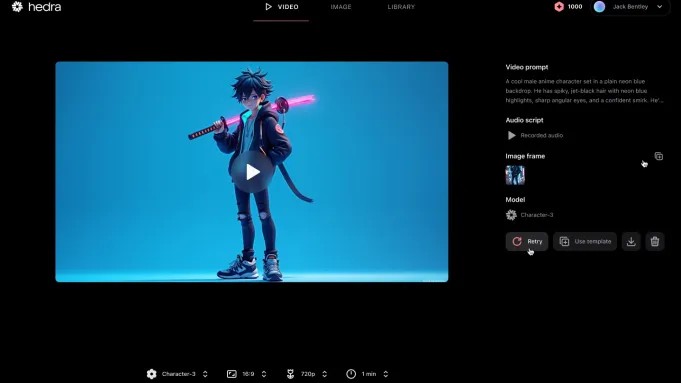
Signing up for an account with Hedra AI is easy and only takes a few steps:
- Visit the official website of Hedra AI.
- Click the Sign Up or Get Started button.
- Enter the requested data such as email, name, and create a password.
- After email verification, login to the dashboard to start creating videos.
Basic registration is usually free, but premium features will be unlocked once the user chooses a paid plan.
Also Read: Analyst’s Shocking Prediction! Solana (SOL) Has the Potential to Rise 100% to $331, When?
AI Hedra Cost
Hedra AI provides several pricing plan options that vary based on features and export levels. Here is the general range:
- Free Package
:Polylang placeholder do not modify
- Premium Plan (monthly or yearly subscription)
:Polylang placeholder do not modify
The specific price depends on the duration of the subscription and the additional features selected. Professional users such as companies or content creators often opt for mid-to-high-end plans.
How to Use Hedra AI

Here are the practical steps to create a video using Hedra AI:
1. Login to the Platform
Log in to your Hedra AI account to access the dashboard and all available tools.
2. Select or Upload Avatar
Choose an avatar from the library provided, or upload a photo to create a personal character that will be the face of your video.
3. Add Audio or Text
Upload your own audio files or use the text-to-speech feature that automatically generates a narration voice according to your script.
4. Hedra AI Will Animate Avatars
The system will automatically perform lip-sync and facial animations in sync with your voice or text.
5. Preview and Export
Once you’re happy with the results, you can preview and make adjustments if necessary. Export the video in the format and resolution you need.
Who is Suitable to Use Hedra AI?
- Content Creator & Influencer: To create live talk content without filming.
- Digital Marketer: For more engaging product presentation and brand storytelling.
- Educator & Trainer: For interactive and in-depth e-learning materials.
- Startup & Corporate: For onboarding, internal training, and visual communication.
❗️ Disclaimer: AI Technology is Not Without Risk
While it may seem easy and fast, the use of AI-based technologies including video avatars also requires user responsibility, especially regarding ethics, personal data, and the right to use a face or voice. Always use them wisely and for purposes that do not violate the law or social norms.
Also Read: Can XRP Reach $4 If Bitcoin Rises to $130,000?
That’s the latest information about crypto. Follow us on Google News to get the latest information about the world of crypto and blockchain technology. Check today‘ s bitcoin price, today’s solana price, pepe coin and other crypto asset prices through Pintu Market.
Enjoy an easy and secure crypto trading experience by downloading Pintu crypto app via Google Play Store or App Store now. Also, get a web trading experience with various advanced trading tools such as pro charting, various types of order types, and portfolio tracker only at Pintu Pro.
*Disclaimer
This content aims to enrich readers’ information. Pintu collects this information from various relevant sources and is not influenced by outside parties. Note that an asset’s past performance does not determine its projected future performance. Crypto trading activities are subject to high risk and volatility, always do your own research and use cold hard cash before investing. All activities of buying andselling Bitcoin and other crypto asset investments are the responsibility of the reader.
Reference:
- Digital Software Labs. Hedra AI Review. Accessed July 17, 2025.