How to use Google Authenticator to secure your account
Jakarta, Pintu News – The use of two-step authentication methods is increasingly important in the digital age, especially to protect accounts from unauthorized access. Google Authenticator is one of the most widely used security applications as it provides time-based verification codes without requiring an internet connection.
Many users are now also looking for ways to use Google Authenticator on PC, especially for the convenience of account management and cross-device synchronization. This article discusses the functions of Google Authenticator, how to use it, and a complete guide to operating it on a computer device.
What is Google Authenticator and How it Works
Google Authenticator is an app that generates time-based OTP (One-Time Password) codes to add a layer of security to accounts. The code is updated every 30 seconds, so only the device owner has access. This technology is called Time-Based One-Time Password (TOTP) and is used to verify the user’s identity at login.
This app does not require a cellular network or the internet, as the entire code generation process is done locally on the device. This is why Google Authenticator is considered more secure than SMS OTP, which is vulnerable to SIM swap attacks. Users can connect this app with various services such as email, social media, financial platforms, and crypto-related services such as Bitcoin and Ethereum .
Why is Google Authenticator more secure than other OTP methods?
The security of Google Authenticator lies in the local encryption mechanism and the short-lived nature of the code. The generated code is never sent over the network, so it cannot be intercepted by third parties. This makes it a more protected authentication solution for important accounts such as digital banking, cryptocurrency exchanges, or primary email accounts.
In addition, the risk of attacks such as OTP phishing or hijacking through SIM swap is much lower. Users can also add multiple accounts in a single app, providing more flexibility in managing digital security. This is why many large organizations are now pushing for app-based two-step authentication instead of SMS.
How to Use Google Authenticator on a Smartphone
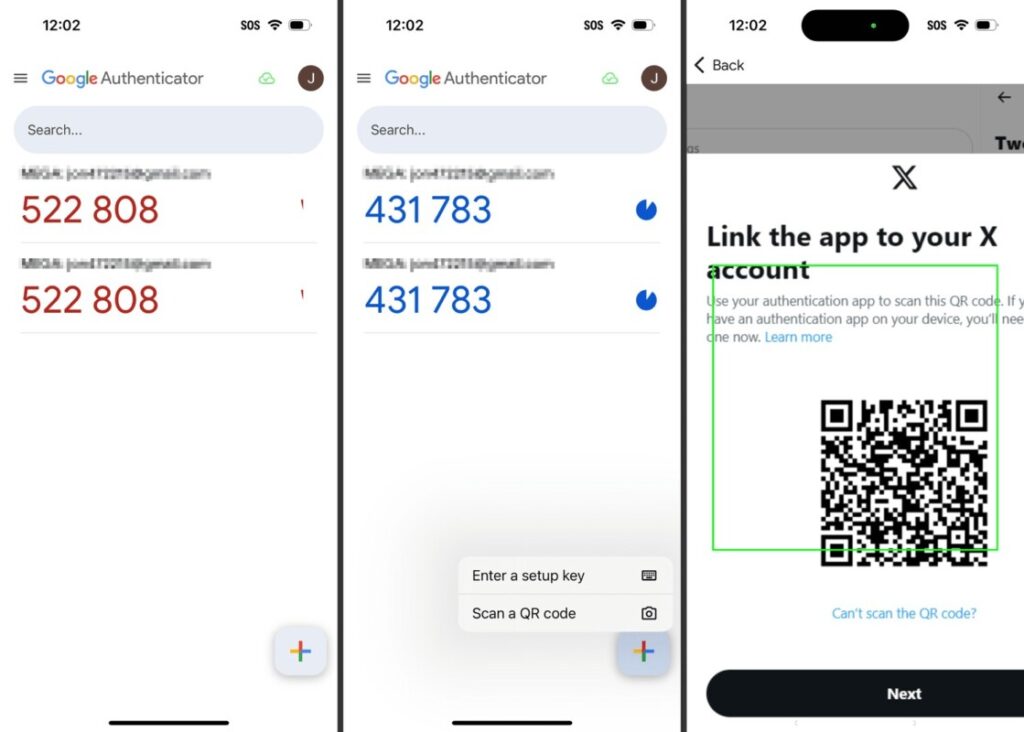
Setting up Google Authenticator on a smartphone is quite simple and only requires scanning a QR code. Once the code is scanned, the app will instantly generate an OTP code that changes every 30 seconds. This process allows for additional security when logging into certain service accounts.
The app is available for Android and iOS devices via the Google Play Store or App Store. Once installed, users can add as many accounts as needed. For most services, users can simply open the security menu on the account and select the “Authenticator App” option to start the integration process.
How to Use Google Authenticator on PC
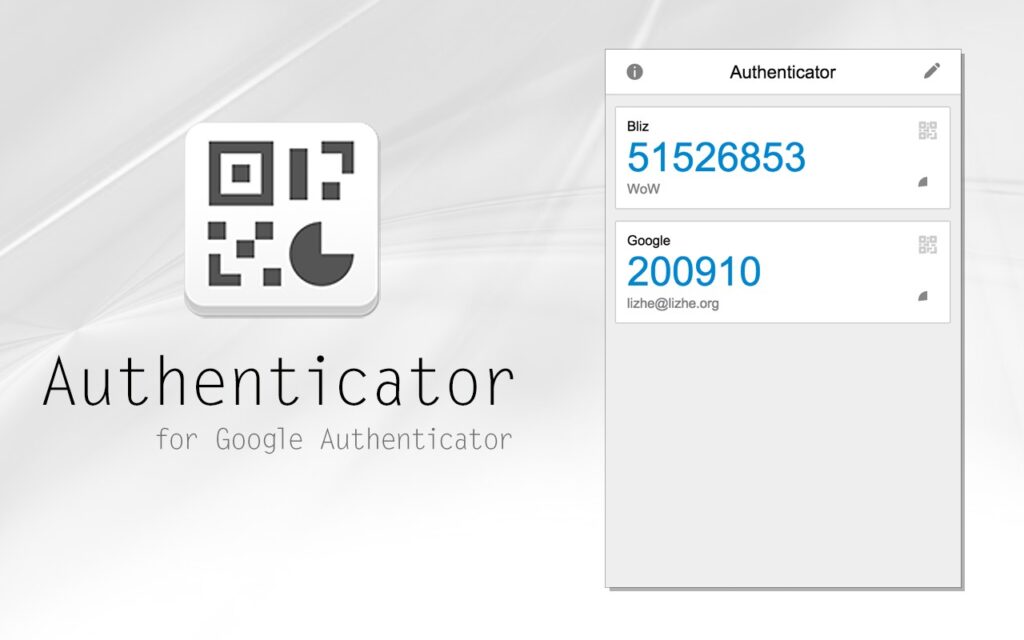
Officially, Google does not provide a desktop version of the Google Authenticator app, but users can still run it through alternatives such as Android emulators or certain extensions. Emulators like BlueStacks or NoxPlayer can be a solution for those who need to view Google Authenticator directly on a PC. With this method, users can install the app in the emulator just like on a smartphone.
Another alternative is to use an authentication service that is compatible with Google Authenticator, such as the desktop version of Authy. Authy provides cloud synchronization so it can be used on multiple devices, including PCs and tablets. Although not an official Google app, Authy supports the same TOTP so it can serve as a “Google Authenticator PC” solution.
Security Tips When Using Google Authenticator
Saving the recovery code is an important step when activating Google Authenticator. If the device is lost and the recovery code is not saved, users may find it difficult to access the account again. Therefore, each service usually provides backup codes that must be saved offline.
In addition, users are advised to avoid screenshots or digital storage of codes without encryption. The use of a secure password manager can also help store backup keys. With these preventive measures, the risk of losing access or security leaks can be significantly minimized.
Conclusion
Google Authenticator offers a very strong layer of protection for various digital accounts, especially those that store important and sensitive data. By understanding how it works, how to use it on smartphones and PCs, and security tips, users can effectively enhance account protection. It remains one of the most secure and flexible authentication solutions in the modern digital environment.
FAQ
What is the main function of Google Authenticator?
Google Authenticator generates time-based OTP codes to verify logins and improve account security without requiring an internet connection.
What is the biggest risk if Google Authenticator is installed without backups?
The risk is losing access to the account if the device is lost as the codes cannot be recovered without backup codes from the service.
Can Google Authenticator be used on PC?
Google Authenticator does not have an official PC version, but it can be run through an Android emulator or alternatives like Authy that support TOTP.
When should Google Authenticator be activated?
This app should be activated immediately on email accounts, financial platforms, social media, and cryptocurrency services to reduce the risk of hijacking.
Why is Google Authenticator more secure than SMS OTP?
SMS OTPs can be intercepted or stolen through SIM swap attacks, while Google Authenticator codes are generated locally without network transmission, making them more protected.
That’s the latest information about crypto. Follow us on Google News to get the latest crypto news about crypto projects and blockchain technology. Also, learn crypto from scratch with complete discussion through Pintu Academy and stay up-to-date with the latest crypto market such as bitcoin price today, xrp coin price today, dogecoin and other crypto asset prices through Pintu Market.
Enjoy an easy and secure crypto trading experience by downloading Pintu crypto app via Google Play Store or App Store now. Also, get a web trading experience with various advanced trading tools such as pro charting, various types of order types, and portfolio tracker only at Pintu Pro.
*Disclaimer
This content aims to enrich readers’ information. Pintu collects this information from various relevant sources and is not influenced by outside parties. Note that an asset’s past performance does not determine its projected future performance. Crypto trading activities have high risk and volatility, always do your own research and use cold cash before investing. All activities of buying and selling bitcoin and other crypto asset investments are the responsibility of the reader.
Reference:
- Featured Image: Creative Blog