
Download Pintu App

What is GitHub Copilot?
Jakarta, Pintu News – GitHub Copilot is an artificial intelligence (AI)-based coding assistant developed by GitHub in collaboration with OpenAI. Think of the tool as a virtual “pair programmer” working inside a code editor.
It is powered by aLarge Language Model that has been trained using billions of lines of publicly available code. Copilot doesn’t just provide word-for-word suggestions, but is able to understand the context of the code you are writing and provide suggestions in the form of whole blocks of code, functions, and complex algorithms automatically.
How much does it cost to use GitHub Copilot?
GitHub offers several subscription schemes that are customized according to the user’s profile:
| Package | Cost Estimation | Target User |
| Individual Copilot | $10/month or $100/year | Individual developer or freelancer. |
| Copilot Business | $19/user/month | Teams and companies with centralized access management. |
| Copilot Enterprise | $39/user/month | Large enterprise with advanced customization features. |
| Free | $0 | Exclusively for verified Students and maintainers of popular Open Source projects. |
GitHub Copilot function
GitHub Copilot has various key functions to speed up the software development cycle:
- Code Autocomplete: Suggests the next line of code as you type.
- Convert Natural Language to Code: You can simply write comments in human language (such as “create a function to validate emails”), and Copilot will write the code.
- Unit Test Generation: Automatically suggests test scenarios to ensure your code runs correctly.
- Refactoring: Helps improve the structure of the code to make it more efficient and clean without changing its functionality.
- Documentation: Assist in writing comments and technical documentation based on existing code logic.
Owner & CEO of GitHub Copilot
GitHub Copilot is owned by GitHub, which is a subsidiary of Microsoft (acquired in 2018). The project was developed using an AI model from OpenAI.
The current leadership is held by:
- Thomas Dohmke: Serves as CEO of GitHub. He is the main figure driving the deep integration of AI into the GitHub platform through the vision of an “AI-powered developer platform”.
Why is GitHub Copilot Popular?
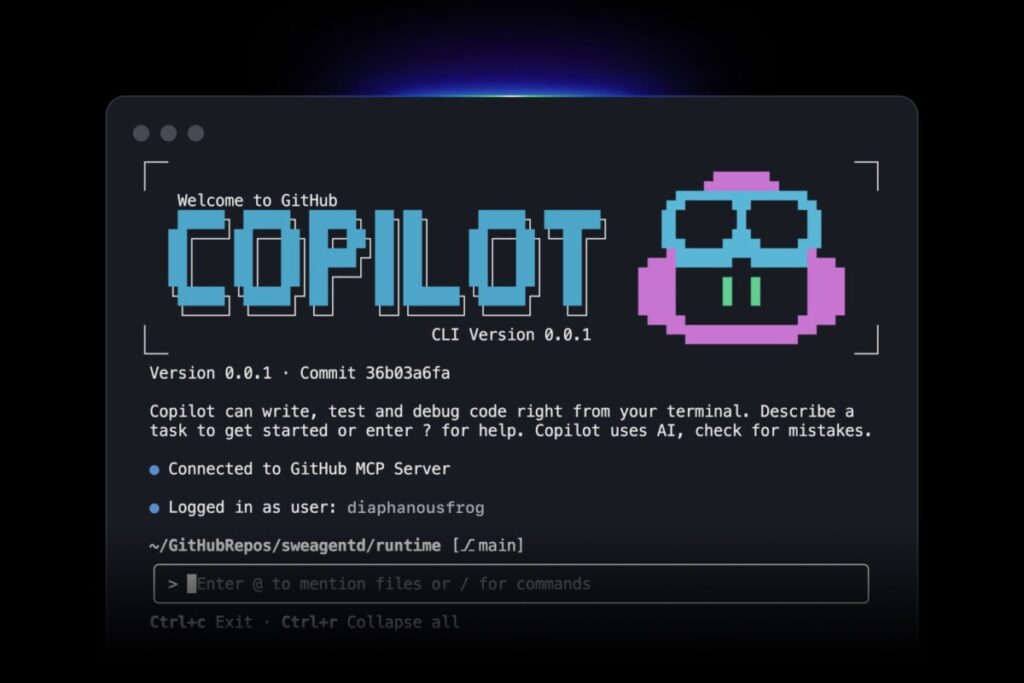
GitHub Copilot’s popularity has skyrocketed for several crucial reasons:
- Increased Productivity: Research shows developers can complete tasks 55% faster using Copilot.
- Reduces Repetitive Tasks: This AI takes care of writing boilerplate code so that developers can focus on complex business logic.
- Multi-Language Support: Supports almost all popular programming languages such as Python, JavaScript, TypeScript, Go, Java, and C++.
- Seamless Integration: Copilot works directly inside popular code editors such as Visual Studio Code, Neovim, and JetBrains, so it doesn’t disrupt workflows.
How to Use GitHub Copilot
To start using GitHub Copilot, follow these basic steps:
- Subscription: Activate the subscription plan through your GitHub account.
- Extension Installation: Open a code editor (e.g. VS Code), search for the “GitHub Copilot” extension in the marketplace, then click install.
- Login: Connect the extension with your GitHub account.
- Start Writing: * Write down the name of the function or variable, then press
Tabto accept the suggestion.Polylang placeholders do not modify
Usage Example: Creating a Simple Trading Bot
In the world of finance or trading, GitHub Copilot is very helpful for designing strategy logic without having to memorize complicated library syntax.
Scenario: You want to create a Python script to take the price of Bitcoin and give a “Buy” signal if the price drops below a certain number.
Steps: You can simply write a comment in the code editor like this:
# Create a function to fetch BTC price from Binance API and alert if price is below 60000
Copilot’s suggested result:
Copilot will automatically suggest a code like the following:
Python
import requests

def check_btc_price():
    url = "https://api.binance.com/api/v3/ticker/price?symbol=BTCUSDT"
    response = requests.get(url)
    data = response.json()
    price = float(data['price'])

    print(f"Current BTC Price: {price}")

    if price < 60000:
        print("Signal: BUY BUY BUY!")
    else:
        print("Signal: HOLD")

check_btc_price()
Without Copilot, you might have to manually search the Binance API documentation. With Copilot, that logic is organized in just seconds.
Follow us on target="_blank" rel="noreferrer noopener" href="https://news.google.com/u/2/publications/CAAqBwgKMKXoywsw1YPjAw?hl=id&gl=ID&ceid=ID%3Aid">Google News to stay up to date with the latest in crypto and blockchain technology. Check Bitcoin price, usdt to idr and tokenized nvidia stock price via Pintu Market.
As a safe crypto app, Pintu provides a crypto trading experience to access crypto gold investment easily and conveniently. You can also see today ‘ s gold jewelry price and today ‘ s gold bullion price to support your investment activities and portfolio diversification as well as learn crypto through Pintu Academy.
Download the Pintu crypto app via Play Store or App Store now. Enjoy web trading experience with advanced trading tools such as pro charting, various types of order types, and portfolio tracker only at Pintu Pro.
*Disclaimer
This content aims to enrich readers’ information. Pintu collects this information from various relevant sources and is not influenced by outside parties. Note that an asset’s past performance does not determine its projected future performance. Crypto trading activities are subject to high risk and volatility, always do your own research and use cold hard cash before investing. All activities of buying and selling Bitcoin and other crypto asset investments are the responsibility of the reader.
Reference:
- AI
- Featured Image: Github
Berita Terbaru
© 2026 PT Pintu Kemana Saja. All Rights Reserved.
Kegiatan perdagangan aset crypto dilakukan oleh PT Pintu Kemana Saja, suatu perusahaan Pedagang Aset Keuangan Digital yang berizin dan diawasi oleh Otoritas Jasa Keuangan serta merupakan anggota PT Central Finansial X (CFX) dan PT Kliring Komoditi Indonesia (KKI). Kegiatan perdagangan aset crypto adalah kegiatan berisiko tinggi. PT Pintu Kemana Saja tidak memberikan rekomendasi apa pun mengenai investasi dan/atau produk aset crypto. Pengguna wajib mempelajari secara hati-hati setiap hal yang berkaitan dengan perdagangan aset crypto (termasuk risiko terkait) dan penggunaan aplikasi. Semua keputusan perdagangan aset crypto dan/atau kontrak berjangka atas aset crypto merupakan keputusan mandiri pengguna.